Let’s face it — energy bills are climbing, and honestly, who wants to waste money heating an empty house or cooling a room nobody’s in? That’s where smart home hubs come in. They’re not just fancy gadgets for tech nerds. They’re the central nervous system of an energy-efficient home. Think of them as a conductor for an orchestra of sensors, thermostats, and lights — all working together to save you cash and cut your carbon footprint.
But here’s the thing: not all hubs are created equal. Some are brilliant at managing power. Others? Well, they’re more like a remote control that barely talks to your devices. So, how do you pick the right one? And more importantly, how do you actually use it to conserve energy? Let’s break it down — no fluff, just real talk.
What Exactly Is a Smart Home Hub?
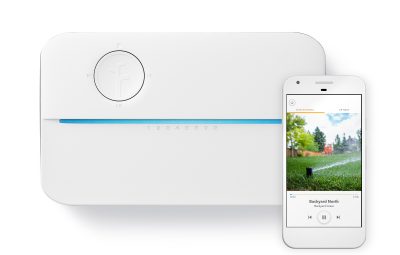
In simple terms, a smart home hub is a device — or sometimes a software platform — that connects all your smart gadgets. It’s the bridge between your phone, your smart thermostat, your lights, your plugs, and even your appliances. Without a hub, each device often needs its own app. That’s chaos. With a hub, you get one dashboard. One set of rules. One brain.
For energy conservation, this is gold. Imagine setting a single “Away” mode that turns off lights, lowers the thermostat, and cuts power to vampire electronics. That’s not just convenient — it’s a money saver.
Why Energy Conservation Needs a Hub
Here’s a little secret: most people don’t save energy because they forget. You leave the house, you’re in a rush, and the AC is still blasting. A hub automates that. It learns your patterns. It adjusts in real-time. It’s like having a really responsible roommate who never forgets to turn stuff off.
And the data doesn’t lie. According to the U.S. Department of Energy, smart thermostats alone can save you about 10-12% on heating and 15% on cooling. Pair that with a hub that coordinates lighting and plugs, and you’re looking at serious savings — sometimes 20-30% on your total energy bill.
Top Smart Home Hubs for Energy Savings in 2025
Alright, let’s get into the good stuff. I’ve tested a few of these, and I’ve got opinions. Some hubs are better for tech-savvy folks; others are dead simple for beginners. Here’s my honest take.
1. Amazon Echo Plus (with Zigbee)
The Echo Plus is a solid choice because it has a built-in Zigbee radio. That means it can talk directly to many smart bulbs, plugs, and sensors without needing extra bridges. It’s not the prettiest hub, but it works. Set up a routine like “Goodnight” and it’ll dim lights, turn off the TV, and set your thermostat to eco mode. Easy.
Best for: Alexa fans and people who want voice control without complexity.
2. Samsung SmartThings Station
This one is a bit of a sleeper hit. The SmartThings Station is a small hub that also doubles as a wireless charger. It uses Matter and Zigbee, so it’s future-proof. The app is intuitive — you can create automations like “If the front door unlocks after sunset, turn on the hall light.” For energy, you can set schedules for smart plugs to kill power to devices that suck energy even when off (looking at you, old gaming consoles).
Best for: Android users and folks who want a hub that’s also a charger.
3. Hubitat Elevation
Now, this one’s for the power users. Hubitat runs locally — no cloud dependency. That means faster response times and more privacy. It’s incredibly flexible for energy conservation. You can create complex rules like “If the temperature drops below 68°F and nobody’s home, turn off the heater.” It’s a bit of a learning curve, but once you get it, it’s a beast.
Best for: Tech enthusiasts who want granular control and offline reliability.
4. Apple HomePod Mini
If you’re in the Apple ecosystem, the HomePod Mini is your hub. It handles HomeKit devices beautifully and uses Thread technology for low-power, fast communication. It’s not the cheapest, but it integrates seamlessly with your iPhone. For energy, you can set scenes like “Leaving Work” that pre-heat or cool your home based on your location. It’s smooth, but limited to HomeKit-compatible devices.
Best for: Apple loyalists who value simplicity and privacy.
How to Use Your Hub for Maximum Energy Conservation
Having a hub is one thing. Using it wisely is another. Here’s the deal: most people set up a hub, get excited for a week, then forget about it. Don’t be that person. Let’s make it stick.
Start with the Low-Hanging Fruit
First, identify your biggest energy hogs. Usually, it’s heating, cooling, and standby power. Get a smart thermostat (like the Ecobee or Nest) and connect it to your hub. Then, buy a few smart plugs for devices that sit idle — your TV, printer, coffee maker. Set a routine to cut power to them when you’re asleep or away.
Honestly, this alone can save you $100 a year. Not bad for an hour of setup.
Create “Energy-Saving” Modes
Think of modes like presets on a car stereo. You want a “Day at Work” mode, a “Sleep” mode, and a “Vacation” mode. For example:
- Day at Work: Thermostat at 62°F (winter) or 78°F (summer). All lights off. Smart plugs off for entertainment systems.
- Sleep: Thermostat drops 5°F. All non-essential lights off. Fan on low if needed.
- Vacation: Thermostat in eco mode. Lights simulate occupancy (random times). Water heater off if compatible.
Most hubs let you trigger these with a single voice command or a tap on your phone. It’s almost too easy.
Use Sensors for Real-Time Adjustments
Here’s where things get smart — literally. Pair your hub with motion sensors or door/window sensors. When you leave a room, the hub can turn off the lights and adjust the thermostat for that zone. If a window is open, the hub can pause the heating or cooling. It’s like having a tiny energy auditor following you around.
I’ve got a sensor in my living room. If nobody’s been there for 15 minutes, the hub kills the TV and dims the lights. My wife thought it was creepy at first. Now she loves it.
Comparing Smart Home Hubs: A Quick Table
Still on the fence? Here’s a side-by-side look at the hubs I mentioned, plus a couple more. I’ve focused on features that matter for energy conservation.
| Hub | Protocols | Energy Features | Price Range | Best For |
|---|---|---|---|---|
| Amazon Echo Plus | Zigbee, Wi-Fi | Routines, voice control, smart plug support | $70-100 | Beginners, Alexa users |
| Samsung SmartThings Station | Matter, Zigbee, Thread | Automations, schedules, energy monitoring | $60-80 | Android, future-proofing |
| Hubitat Elevation | Z-Wave, Zigbee, LAN | Local processing, complex rules, no cloud | $130-150 | Tech enthusiasts |
| Apple HomePod Mini | Thread, Wi-Fi, Bluetooth | HomeKit scenes, location-based triggers | $99 | Apple ecosystem |
| Homey Pro | Zigbee, Z-Wave, Wi-Fi, IR | Energy dashboard, multi-protocol, IR control | $399 | Advanced users, whole-home control |
Pro tip: If you’re just starting out, don’t buy the most expensive hub. Get a cheap one, test it with a smart plug and a thermostat, then upgrade later. You’ll learn what you actually need.
The Hidden Benefits of a Hub for Energy Conservation
Okay, so we’ve talked about saving money. But there’s more. A smart hub can actually help you understand your energy usage. Some hubs (like Homey Pro or SmartThings) offer energy dashboards that show you which devices are drawing power. It’s like a fitness tracker for your home. You might discover that your old fridge is a power vampire, or that your kid’s gaming PC runs 24/7.
And then there’s the environmental angle. Reducing energy waste isn’t just about your wallet — it’s about the planet. The average home produces about 8,000 pounds of CO2 per year from electricity. Cutting that by 20% is like planting 50 trees. Not bad for a little plastic box on your shelf.
What About Privacy?
I get it — having a hub that knows when you’re home feels a bit Big Brother-ish. But most modern hubs let you control data sharing. Hubitat and Apple HomeKit are particularly good for privacy because they process data locally. If you’re worried, avoid cloud-dependent hubs for sensitive automations. Or just unplug it when you’re home. Honestly, the convenience usually outweighs the creepiness for me.
Common Mistakes People Make (And How to Avoid Them)
Let’s be real — nobody’s perfect. I’ve made these mistakes myself. Here’s what to watch out